


- How to Set up an Instagram Page
- How to Create a Facebook Page using Facebook Business Manager
- What is the difference between a boosted post and an ad?
- Facebook Business Categories | How to Set Up Your Page
- How do I change a social media post?
- Why was my Instagram account disabled?
- When do Social Media Services start?
- Is my social media program successful?
- How do I get people to “like” my Facebook page?
- What is a “handle”?
- How do I change my handle?

- Franchise Advertising Onboarding Checklist
- Managed Service Menu (Corporate DSA Support)
- Which Advertising Channels are Supported?
- What to Expect – Ad Performance Review Calls
- Franchise Advertising | Frequently Asked Questions
- Ad Optimizations – What Does CyberMark Do?
- Lead Generation for Fitness 101
- Lead Generation for Salons 101
- Digital Advertising Benchmarks
- How CyberMark Partners With Brands
- Franchisor Guide: How to Manage Franchisee & Vendor Roles in Meta Business Manager
- Why is my phone number not on the ads?
- How CyberMark Uses Facebook Business Manager
- How to Add CyberMark as a Partner to Facebook Business Manager (Manual Process)

- How to Add CyberMark to Google Business Profile
- Digital Utilities Overview
- How to Onboard a New Location
- Why Is My Google Business Profile Not Showing Up?
- Local Listing Management – Overview
- Explainer Videos – CyberMark Digital Utilities Service
- Google My Business Overview
- What if I have a negative review for my business?
- What if I have a duplicate Google My Business?
- Why Was My Google Business Profile Suspended?
- Tips & Tricks For Google My Business
- How Do I Manage My Google My Business Listing?
- What are Local Listings?
- How Do Local Listings Help My Business?
- Can I delete negative reviews for my business?

Want a preview of how your ads look? The tools below have you covered.
Meta Ad Library
Click here to access the Meta Ad Library
Meta Ad Library is a comprehensive, searchable database for ads transparency. People can use the Ad Library to get more information about the ads they see across Meta technologies. People can search for all active ads running across products from Meta. For ads about social issues, elections or politics, Meta provides additional information, including spend, reach and funding entities. These ads are visible whether they’re active or inactive and are stored in the Ad Library for 7 years. Note: An ad will appear in the Ad Library within 24 hours of the time it gets its first impression. Any changes or updates made to an ad will also be reflected in the Ad Library within 24 hours.
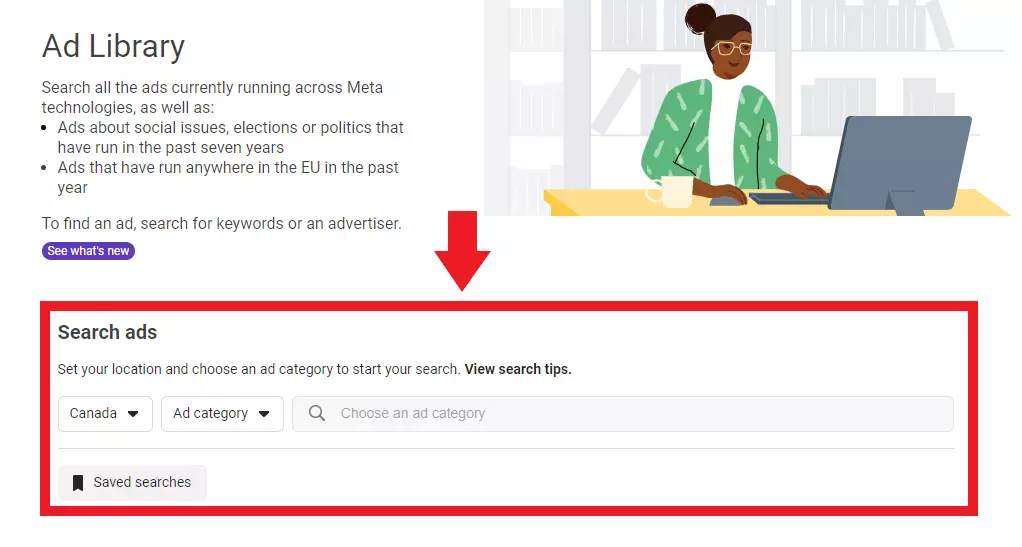
To view your ads, click the link below to visit the Meta Ad Library. Then type your Facebook Page name into the search box.
Click here to access the Meta Ad Library
Google Ad Transparency Center
Click here to access the Google Ads Transparency center
The Ads Transparency Center is a searchable hub of all ads served from verified advertisers. This one-stop shop was designed with advertisers in mind by ensuring easy access to information about the ads on Google. With the Ads Transparency Center, you’ll be able to understand:
- The ads an advertiser has run
- Which ads were shown in a certain region
- The last date an ad ran, and the format of the ad.

Click here to access the Google Ads Transparency center
Ad Performance Statistics
Click here to log in to the reporting dashboard
You can see the performance (views, clicks, conversions, etc) for each ad via the CyberMark Reporting Dashboard. Log into your dashboard and navigate to the tab for the channel you want to see, for example Facebook. Scroll down to the ad creative table for a breakdown of KPIs for each ad.

Click here to log in to the reporting dashboard
Trouble logging in? Contact your CyberMark specialist and request a link to your reporting dashboard.