


- How to Set up an Instagram Page
- How to Create a Facebook Page using Facebook Business Manager
- What is the difference between a boosted post and an ad?
- Facebook Business Categories | How to Set Up Your Page
- How do I change a social media post?
- Why was my Instagram account disabled?
- When do Social Media Services start?
- Is my social media program successful?
- How do I get people to “like” my Facebook page?
- What is a “handle”?
- How do I change my handle?

- Franchise Advertising Onboarding Checklist
- Managed Service Menu (Corporate DSA Support)
- Which Advertising Channels are Supported?
- What to Expect – Ad Performance Review Calls
- Franchise Advertising | Frequently Asked Questions
- Ad Optimizations – What Does CyberMark Do?
- Lead Generation for Fitness 101
- Lead Generation for Salons 101
- Digital Advertising Benchmarks
- How CyberMark Partners With Brands
- Franchisor Guide: How to Manage Franchisee & Vendor Roles in Meta Business Manager
- Why is my phone number not on the ads?
- How CyberMark Uses Facebook Business Manager
- How to Add CyberMark as a Partner to Facebook Business Manager (Manual Process)

- How to Add CyberMark to Google Business Profile
- Digital Utilities Overview
- How to Onboard a New Location
- Why Is My Google Business Profile Not Showing Up?
- Local Listing Management – Overview
- Explainer Videos – CyberMark Digital Utilities Service
- Google My Business Overview
- What if I have a negative review for my business?
- What if I have a duplicate Google My Business?
- Why Was My Google Business Profile Suspended?
- Tips & Tricks For Google My Business
- How Do I Manage My Google My Business Listing?
- What are Local Listings?
- How Do Local Listings Help My Business?
- Can I delete negative reviews for my business?

The Client Success Center makes it simple to see everything you’re enrolled in and manage your account:
- View the services you have and their status
- Add or update your payment method
- Explore new services you may need
Please ensure your payment method is current so we can continue delivering services without interruption. This portal is your hub for managing your partnership with CyberMark efficiently.
Click here to log in to the CyberMark Client Portal – Powered by Accelo
If you need assistance setting up your payment method or navigating the portal, our team is happy to help.
1. Click on Manage Payment Method

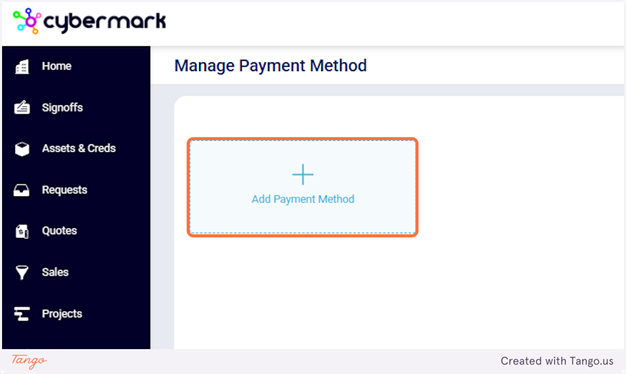
2. Click on Add Payment Method
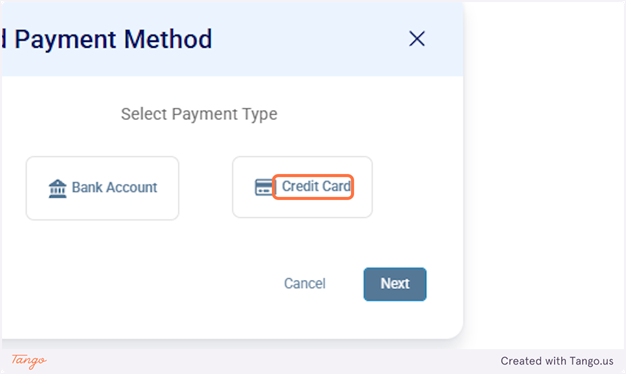
3. Click on Credit Card
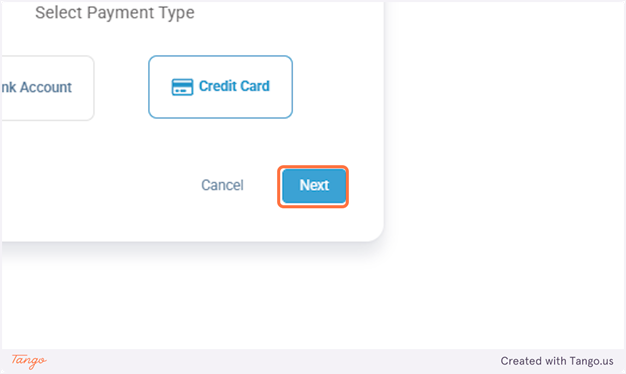
4. Click on Next
5. Add info and then click save. You’re done!

Please note that the Client Success Center only stores your payment method for CyberMark managed services. Ad spend is billed by the ad platforms directly to your account. You can manage your advertising payment methods directly through the ad platforms. Instructions below.
- Facebook/Instagram – Click here for instructions
- Google Ads – Click here for instructions